- Shopping, made easy.
- /
- Get the app!
Steps for usage:
1. Put your AAA batteries on the Bluetooth remote controller, and the power will be turned on automatically. The indicator light flashes.
2. Turn on Bluetooth on your phone or tablet.
3. After the Bluetooth pairing succeeds, the indicator light goes out, and it can be used normally.
4. According to the manual, switch to the function mode you need.
For IOS Devices
When our remote control is connected to an IOS device for the first time, it needs an activation step. (Usually, we will activate it in advance). The specific steps are:
1. After installing the battery in the remote control and turning it on, turn on Bluetooth on your iPhone and match the "VR-PARK".
2. After the Bluetooth pairing is successful, the activation has not been completed at this time; you need to remove the battery and wait for 5 seconds.
3. Reinstall the battery and connect to Bluetooth. The activation is now complete and it can be used normally.
Note:
For the iOS system, the remote control has music and selfie mode, video mode, and game mode, which can control the volume of the phone, home button function, self-timer function, control the playback of video or music, the previous song, the next song, etc., but there is no mouse model.
For Android systems, the remote control does not need to be activated and can be used directly. The default is mouse mode. You can switch to music mode, video mode, game mode, VR mode, and selfie mode at any time according to the instructions.
Any questions, please feel free to contact us. We will do our best to serve you.
Connection method: Bluetooth
Supported operating system: IOS, Android
Remote control distance: Not more than 390 inches.
Controller size: 4.72 * 1.81 * 1.36 inches
Package size: 4.92 * 1.85 * 1.42 inches
You will get:
1 * Bluetooth remote controller
1 * User Manual (Includes English version)
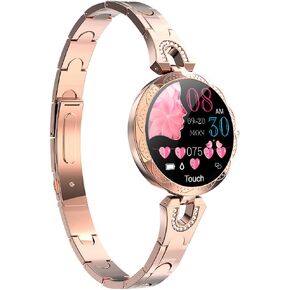 Smartwatch for Women Compatible for iPhone Samsung Android iOS Phones. Smart Bracelet with Female Menstrual Cycle Heart Rate Blood Pressure Remote Photography Waterproof Pedometer (Blue)
KWD 33.500
Smartwatch for Women Compatible for iPhone Samsung Android iOS Phones. Smart Bracelet with Female Menstrual Cycle Heart Rate Blood Pressure Remote Photography Waterproof Pedometer (Blue)
KWD 33.500
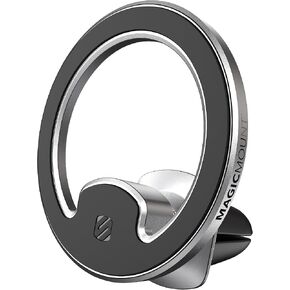 Scosche MagicMount MEMSD-SP Elite2 Magnetic Dashboard Mount for Magsafe Mobile Devices, Cell Phone Holder for Car Dash, 360° Adjustable Magnet Head, Compatible with iPhone 14, 13, 12 and MagSafe Case
KWD 9.500
Scosche MagicMount MEMSD-SP Elite2 Magnetic Dashboard Mount for Magsafe Mobile Devices, Cell Phone Holder for Car Dash, 360° Adjustable Magnet Head, Compatible with iPhone 14, 13, 12 and MagSafe Case
KWD 9.500
 Halloween Gloves Wearable Skull Fingers Articulated Finger Extensions A Pair of Halloween Devil Claws
KWD 12.500
Halloween Gloves Wearable Skull Fingers Articulated Finger Extensions A Pair of Halloween Devil Claws
KWD 12.500
 Thafikzi Halloween Claw Gloves Wearable Articulated Finger Extensions Skull Bone Fingers Prop, A Pair of Halloween Devil Claws Cosplay Gloves Fit for All Finger Flexibly Spider Hand Claws (Black)
KWD 14
Thafikzi Halloween Claw Gloves Wearable Articulated Finger Extensions Skull Bone Fingers Prop, A Pair of Halloween Devil Claws Cosplay Gloves Fit for All Finger Flexibly Spider Hand Claws (Black)
KWD 14




