- Shopping, made easy.
- /
- Get the app!
Thanks for purchasing 370M CamLink U3 video capture card. Please read this manual before use and keep it in a safe place for future reference. You can use this device: Capture and stream HDMI video up to 1080p60 resolution on your computer. Operating System: Windows 10 x64 / 11 x64,USB-A 3.0 or USB-C 3.2 Gen 1 port Desktop: Intel Core i5-6XXX or above, NVIDIA GeForce GTX 1060 or above. Laptop: Intel Core i7-7700HQ or above, NVIDIA GeForce GTX1050 Ti or above Start Work: Select Device and Settings After download and installation, double click OBS Studio. Click icon +under Sources window, and select Video Capture Device. Click OK in the new pop-up window. Please click Device and select CamLinkU3. Specifications: interface: USB-A 3.0 / USB-C 3.2 Gen 1 Video Input: 2160p60 – YUV420, 2160p30, 1080p24/25/30/50/60, 720p50/60, 576p50, 480p60 Max Record Resolution: YUY2/MJPG – 3840 x 2160p18, 2560 x 1440p30, 1920 x 1080p60, 1360 x 768p60, 1280 x 1024p60, 1280 x 960p60, 1280 x 720p60, 1024 x 768p60, 800 x 600p60, 720 x 576p60, 720 x 480p60, 640 x 480p60.
 SOGTICPS Portable Tape Player Cassette Players Captures MP3 Audio Music via PC Compatible with Laptops and Personal Computers
KWD 11.500
SOGTICPS Portable Tape Player Cassette Players Captures MP3 Audio Music via PC Compatible with Laptops and Personal Computers
KWD 11.500
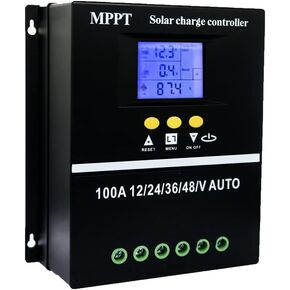 60A MPPT Solar Charge Controller 12V 24V 36V 48V LCD Display Battery Intelligent Regulator Max 100V Input Dual USB for Lead-Acid/Lithium
KWD 16.500
60A MPPT Solar Charge Controller 12V 24V 36V 48V LCD Display Battery Intelligent Regulator Max 100V Input Dual USB for Lead-Acid/Lithium
KWD 16.500
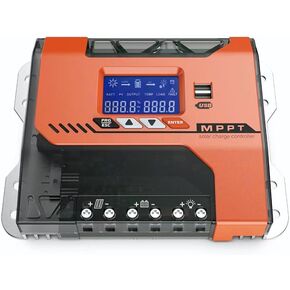 MPPT 40A Solar Charger Controller 12V 24V 36V 48V Battery Charger Solar Panel Regulator Max PV Input 150VDC Work with AGM, Gel, Flooded and Lithium
KWD 12.500
MPPT 40A Solar Charger Controller 12V 24V 36V 48V Battery Charger Solar Panel Regulator Max PV Input 150VDC Work with AGM, Gel, Flooded and Lithium
KWD 12.500
 -5%
for P420 Array Card 1GB Cache 633542-001 610674-001 610670-003 Battery 631670-B21 633538-001 633542-001
KWD 45.500
-5%
for P420 Array Card 1GB Cache 633542-001 610674-001 610670-003 Battery 631670-B21 633538-001 633542-001
KWD 45.500




