- Shopping, made easy.
- /
- Get the app!
Modified Product Description:
Product Features:
1.The item's color may vary from the picture due to color aberration.
2.This floppy drive emulator is ideal for use with electronic organs.
3.Housing Material: ABS
4.Color: Black
5.Floppy Drive Requirements:
6.34-pin interface with a 5V DC power plug
7.Compatible with 2HD floppy disks, 1.44MB capacity
8.Disk Format:
9.Cylinders: 80
10.Tracks: 160
11.Sectors per Track: 18
12.Bytes per Sector: 512
13.Transfer Rate: 500 kbps
14.Encoding Method: MFM
Panel:
1.8-Segment Display: Represents the number of partitions.
2.Green LED: Indicates the status of read and write operations.
3.USB Port: Connects to a USB flash drive.
Buttons:
1.Left Buttons: Increases the ten-digit value.
2.Right Buttons: Increases the single-digit value.
3.Press Both Buttons Together: To increase the hundred-digit value.
Operation:
1.Format USB Flash Drive:
2.Use the built-in self-format function to prepare the USB flash drive, creating 1000 partitions.
3.Install the emulator on a computer and format each partition using the designated driver.
4.Use the UFA1M44-100 emulator, plug the USB flash drive into it, and connect it to a computer. It will be recognized as a removable drive under various operating systems. Format each partition.
5.The UFA1M44-100 emulator also has a built-in self-format function.
Read and Write Data:
1.Install the emulator on the device.
Install the emulator on the computer.
2.Connect the USB flash drive to the computer to read and write data via software under supported operating systems.
3.Plug the USB flash drive into the UFA1M44-100 emulator and connect to the computer to read and write data.
Package Includes:
1 x USB Emulator
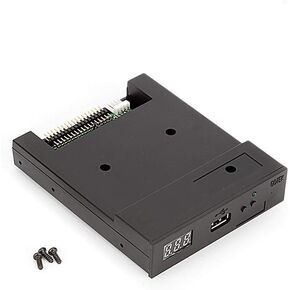 Updated USB Floppy Drive Emulator-Black, 3.5 Inch Floppy Disk Drive to USB Emulator Simulation for Musical Keyboad
KWD 15.500
Updated USB Floppy Drive Emulator-Black, 3.5 Inch Floppy Disk Drive to USB Emulator Simulation for Musical Keyboad
KWD 15.500
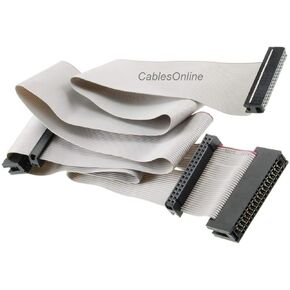 CablesOnline 36 inch Universal Floppy Drive Ribbon Cable for 3.5 or 5.25in Drives, (FF-002)
KWD 5.500
CablesOnline 36 inch Universal Floppy Drive Ribbon Cable for 3.5 or 5.25in Drives, (FF-002)
KWD 5.500
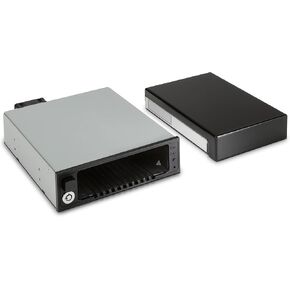 HP Storage Bay Adapter - 5.25" to 3.5" - for Workstation Z2 G4, Z4 G4
KWD 175.500
HP Storage Bay Adapter - 5.25" to 3.5" - for Workstation Z2 G4, Z4 G4
KWD 175.500
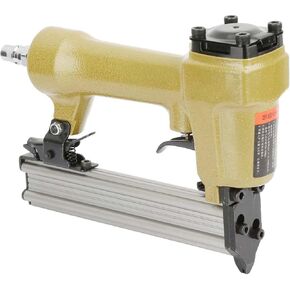 P625-1 Pneumatic Air Pin Pin Nailer, Nailer Air Stapler for Grain Nail 100Pcs Air Nailer Length 10‑25Mm for Furniture, Cabinets, Interior Decoration
KWD 24
P625-1 Pneumatic Air Pin Pin Nailer, Nailer Air Stapler for Grain Nail 100Pcs Air Nailer Length 10‑25Mm for Furniture, Cabinets, Interior Decoration
KWD 24




