[Notice] When you receive a used device, it may be a customer return resold by Amazon without inspection. You can exchange it for a new one through Amazon. As this situation is unavoidable, we sincerely apologize. For any issues, contacting us via Amazon's "Messages" is the best way, and we'll provide a solution within 24 hours.
[Good News] When you own the diagnostic tools THINKSCAN 689BT, 672, or 892BT, you can now expand with the VENU I Pro tire pressure tool, boosting your tire pressure market business, fully addressing vehicle tire pressure issues. If you've used the G2 tire pressure tool before, you'll pick it up quickly. If it's your first time, please watch the video and contact us. Note that it doesn't support all vehicles, so download the user manual to check compatibility and save time.
[Work With Smart Devices]The i-VENU App (for Android) is our latest release, specifically designed for the VENU iPro TPMS tool. It features an optimized user interface for more convenient operation. The THINKDIAG APP was developed for the G2 launch and currently offers only activation and programming functions. Our engineers will continue to enhance it. If you encounter installation difficulties, please download the APP manual or contact us via Amazon Messages.
[Lifetime Updates, No Subscription Fees] The VENU I PRO supports all 315/433MHz sensor activation, reading, and learning functions, instantly and accurately reading data including sensor ID, tire pressure, tire temperature, battery status, and more.
[Unlimited Programming for THINKCAR Sensors] Replace factory sensors with models like VENU 5, 5Pro, S3, and more. THINKCAR sensors offer four programming methods: 1) Copy via OBD; 2) Auto-create; 3) Manual create; 4) Copy via activation. (Note: The VENU I PRO programming tool cannot program sensors from other brands.)
[Advanced Equipment Extension Module] When the VENU I PRO and THINKSCAN 689BT are connected, switch to the VENU tool in the 689BT Bluetooth module to perform TPMS sensor reading, programming, installation, and activation. After completing these steps, switch to the OBD2 VCI Bluetooth adapter to read/clear TPMS system fault codes and warning lights. (The fault light can only be cleared after repairing the vehicle's TPMS issue.)
[Tips] 1.)The VENU-i Pro TPMS learning tool cannot operate independently. 2.)It only supports displaying pressure in KPa units, not PSI. 3.) To connect with a smartphone, download the Thinkdiag APP and create a user account to activate the VENU-i Pro. We recommend using it with diagnostic tool. 4.)Supported vehicle models vary; check the coverage list before ordering. For any questions, contact the seller anytime.


 -24%
Thinkdiag2 All System Bidirectional Control OBD2 Diagnostic Scanner for iOS & Android, Bluetooth Scan Tool with CAN-FD Protocol, AutoVIN, Active Test, 15+ Reset Functions, ECU Coding, 1 Year Free
KWD 50
-24%
Thinkdiag2 All System Bidirectional Control OBD2 Diagnostic Scanner for iOS & Android, Bluetooth Scan Tool with CAN-FD Protocol, AutoVIN, Active Test, 15+ Reset Functions, ECU Coding, 1 Year Free
KWD 50
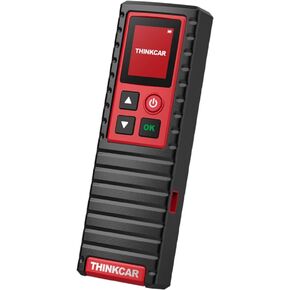 THINKTPMS G2 TPMS Relearn Tire Reset Tool, TPMS Tire Pressure Detector Diagnosis/Activate/Relearn/Reset/Program TPMS Sensors, Should Work with Thinkdiag, THINKCAR THINKTOOL PRO/PROS/PROS+
KWD 53.500
THINKTPMS G2 TPMS Relearn Tire Reset Tool, TPMS Tire Pressure Detector Diagnosis/Activate/Relearn/Reset/Program TPMS Sensors, Should Work with Thinkdiag, THINKCAR THINKTOOL PRO/PROS/PROS+
KWD 53.500
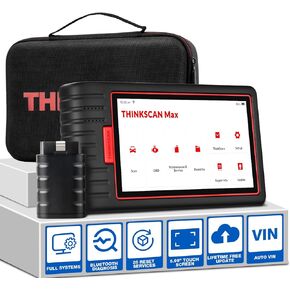 Thinkscan Max Car Diagnostic Scan Tool for All Vehicles All System OBD2 Scanner with 28 Maintenance Functions, AutoVIN/EPB/BMS/SAS/ABS Bleeding/Oil/Injector/TPMS Sevices Code Reader
KWD 121
Thinkscan Max Car Diagnostic Scan Tool for All Vehicles All System OBD2 Scanner with 28 Maintenance Functions, AutoVIN/EPB/BMS/SAS/ABS Bleeding/Oil/Injector/TPMS Sevices Code Reader
KWD 121
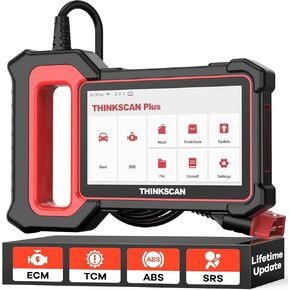 THINKCAR OBD2 Scanner, ABS/SRS/ECM/TCM System Car OBDⅡ Diagnostic Scan Tool, 94+ Vehicle Brands Car Code Reader, AutoAuth for FCA SGW
KWD 57.500
THINKCAR OBD2 Scanner, ABS/SRS/ECM/TCM System Car OBDⅡ Diagnostic Scan Tool, 94+ Vehicle Brands Car Code Reader, AutoAuth for FCA SGW
KWD 57.500




