- Shopping, made easy.
- /
- Get the app!

ELFJMZP PH415 SSD Adapter (for MacBook Pro A1708) – Easily Upgrade Your Storage ExperienceIf your 2016-2017 MacBook Pro A1708 is facing issues like insufficient storage capacity or slow read/write speeds,
the ELFJMZP PH415 SSD Adapter is your ideal solution. As a dedicated storage upgrade accessory designed specifically for this model, it can accurately match the device's interface, allowing you to easily
replace it with a higher-performance NVME SSD and inject new vitality into your laptop.In terms of compatibility, this adapter has a clear range of adaptation: it only supports NGFF M.2 M-Key NVME protocol
SSDs and is compatible with two common length specifications (2230 and 2242), which can meet different capacity needs (such as 128GB, 256GB, 512GB, etc.). It is important to note that it does not support
NGFF M.2 B-Key SATA protocol SSDs, to avoid usability issues caused by mismatched interface protocols. Meanwhile, in terms of the system, it needs to be used with macOS 10.14 (Mojave) or higher versions.
These systems have integrated NVME drivers to ensure normal recognition and stable operation of the SSD; if your system version is lower than 10.14, it will not be compatible with this adapter due to the
lack of corresponding drivers.From the perspective of user experience, the ELFJMZP PH415 Adapter also has significant advantages. It has a compact size with physical dimensions of only
6.40cm × 2.60cm × 0.5cm and a weight of just 5g. During installation, it will not take up too much space inside the MacBook Pro and is compatible with the internal structure of the device. Moreover,
it delivers stable transmission performance and can give full play to the high-speed read/write advantages of NVME SSDs. Whether you are storing files for daily office work, loading large software,
processing high-definition videos, or running multiple tasks simultaneously, it can effectively reduce waiting time and improve operational smoothness.In addition, to ensure long-term stable use,
We recommend pairing with NVMe solid-state drives from reputable major brands. Such mainstream SSDs offer more reliable assurances in terms of chip quality, firmware stability, and compatibility testing.
They can form a good adaptation with the adapter, reduce issues such as disk dropouts and recognition abnormalities, and at the same time extend the service life of the overall storage system, making
your storage upgrade more worry-free.
I. Product Specifications & Technical Indicators
🏷️ : Brand, Specific Parameter: ELFJMZP
🏷️ : Model, Specific Parameter: PH415
🏷️ : Compatible Device, Specific Parameter: 2016, 2017 MacBook Pro Laptop (Model: A1708)
🏷️ : Supported SSD Type, Specific Parameter: NGFF M.2 M-Key NVME Protocol SSD (only supports this type; does not support M.2 B-Key SATA Protocol SSD)
🏷️ : Supported SSD Length Specification, Specific Parameter: 2230, 2242 (Unit: mm)
🏷️ : Compatible System Version, Specific Parameter: macOS 10.14 (Mojave), macOS 10.15 (Catalina) and higher versions
🏷️ : Physical Dimensions (Length × Width × Height), Specific Parameter: 6.40cm × 2.60cm × 0.5cm
🏷️ : Weight, Specific Parameter: 5g
🏷️ : Core Function, Specific Parameter: Realizes interface conversion between NVME SSD and A1708 model, supporting storage upgrade
II. Warnings & Recommendations
(A) Warnings
Please strictly confirm that your MacBook Pro model is A1708 (2016-2017). Using this adapter on non-matching models may cause hardware damage or unrecognition, and you shall bear the relevant risks.
Do not use NGFF M.2 B-Key SATA Protocol SSDs. This adapter does not support the corresponding protocol, and forced connection may cause malfunctions of the SSD or the adapter.
System versions lower than macOS 10.14 (such as macOS 10.13 and below) are not compatible with this adapter. Forced use will result in failure to recognize the SSD and may affect the stability of the
device's original system.
Please ensure the device is powered off during installation to avoid short circuits caused by live operation; if you lack experience in hardware installation, it is recommended to have it operated
by professionals to prevent damage to internal components of the laptop or the adapter.
(B) Recommendations
When selecting a solid-state drive, prioritise products from reputable major brands. Such solid-state drives undergo more comprehensive compatibility testing, reducing adapter compatibility issues and ensuring stable operation and data security
When creating a system installation USB drive, it is recommended to download the macOS image through official Apple channels to avoid system installation failure or potential security risks caused by
using unofficial images.
After installing a new SSD, the first startup needs to be booted via a system installation USB drive (macOS 10.14 or higher version). Only after entering the installation interface can you perform
partitioning and system installation to ensure normal recognition of the SSD. During daily use, you can regularly check the health status of the SSD through disk tools. If abnormalities are found (such as bad sectors, sudden drop in read/write speed), back up data and replace
the SSD in a timely manner to avoid data loss.
 GPU Aluminium Magnetic Base Mounting Bracket Height-Adjustable with Scratch-Resistant Rubber Pads Compatible with ATX/MATX/ITX Cases Prevents Graphics Card Sagging
KWD 4.500
GPU Aluminium Magnetic Base Mounting Bracket Height-Adjustable with Scratch-Resistant Rubber Pads Compatible with ATX/MATX/ITX Cases Prevents Graphics Card Sagging
KWD 4.500
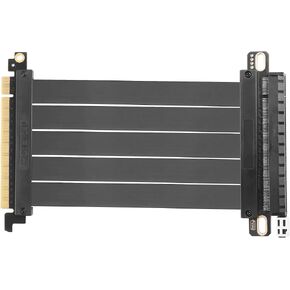 PCIE 3.0 X16 Expansion Cable, PCI-E 16x Extreme Hi-Speed Adapter Upright Card 180 Degree Connector for GPUs, WiFi, USB, Sound Cards, etc - 20 cm/7.87 in
KWD 11.500
PCIE 3.0 X16 Expansion Cable, PCI-E 16x Extreme Hi-Speed Adapter Upright Card 180 Degree Connector for GPUs, WiFi, USB, Sound Cards, etc - 20 cm/7.87 in
KWD 11.500
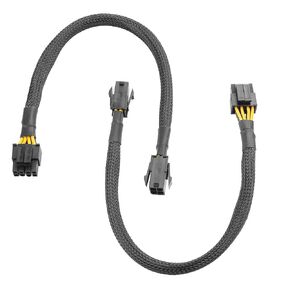 ATX PSU Adapter Cable Connector CPU Power 4Pin to 8Pin(4+4) Extended Line(Pack of 2)
KWD 4.500
ATX PSU Adapter Cable Connector CPU Power 4Pin to 8Pin(4+4) Extended Line(Pack of 2)
KWD 4.500
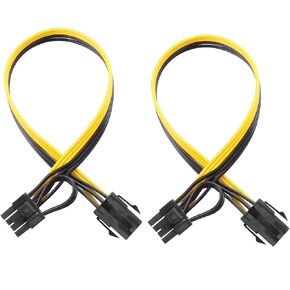 6 Pin Female to 8 Pin (6+2) Male PCI Express GPU Power Supply PCIe Adapter Cable, Computer Suitable Cable(Pack of 2)
KWD 4
6 Pin Female to 8 Pin (6+2) Male PCI Express GPU Power Supply PCIe Adapter Cable, Computer Suitable Cable(Pack of 2)
KWD 4

