【2-in-2-Out Dual Monitor KVM Switch】 Control 2 computers with 1 set of keyboard/mouse and 2 monitors (supports Extend/Copy display modes). Press "Window+P" to select display mode; use high-quality HDMI/DP cables for stable performance.
【4K@60Hz Ultra-Clear Resolution】 USB 3.0 KVM switch supports up to 4K@60Hz resolution. Works with 2 computers that have different resolutions (compatible with HDMI 2.1 + DP 1.4).
【4 USB 3.0 Ports for Devices】 Equipped with 4 USB 3.0 ports (5Gbps data transfer speed) – compatible with keyboard, mouse, printer, scanner, etc. Ensure input USB 3.0 ports are correctly connected; otherwise, output devices won't be recognized.
【2 Switching Modes + LED Indicator】 Easily switch between computers via: Panel buttonIncluded wired controller. LED indicator (2 colors) shows which computer is active.
【Display Modes & Compatibility Notes】 Dual display requires 1 HDMI + 1 DP port per computer; for PCs with discrete/integrated GPUs, use ports from the discrete GPU. Limitations: MAC M1/M2 only supports 1 external screen; MST multi-screen docking needs 11th-gen (or newer) CPU. Driver-free & Plug-and-Play: If your device (e.g., laptop) lacks HDMI/DP ports, use an adapter (USB-C to HDMI/DP, not included).
【One-Key Power Switch】 Turn off the KVM with one key when not in use – no need to re-plug, saves power.
【Package Included】 1× Dual Monitor USB 3.0 HDMI+DP KVM Switch, 2× USB 3.0 Cables, 1× Wired Controller, 1× User Manual, 1× DC12V Power Adapter


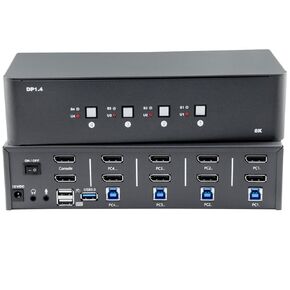 KVM Switch 3 Monitors 4 Computers, 8k Displayport Switch with USB 3.0, Jack, 4 Computers Share a Set of Keyboard, Mouse, Support Windows/Mac/Linux (Triple Monitor)
KWD 41
KVM Switch 3 Monitors 4 Computers, 8k Displayport Switch with USB 3.0, Jack, 4 Computers Share a Set of Keyboard, Mouse, Support Windows/Mac/Linux (Triple Monitor)
KWD 41
 8K60Hz Displayport KVM Switch 1 monitor 2 computers with 8K DisplayPort cable 1.4, DP to DP male-to-male gold-plated cable 3.3 ft. (8K60Hz, 4K144Hz) for 2 computers sharing 1 monitor and 1 set of keyb
KWD 22.500
8K60Hz Displayport KVM Switch 1 monitor 2 computers with 8K DisplayPort cable 1.4, DP to DP male-to-male gold-plated cable 3.3 ft. (8K60Hz, 4K144Hz) for 2 computers sharing 1 monitor and 1 set of keyb
KWD 22.500
 -2%
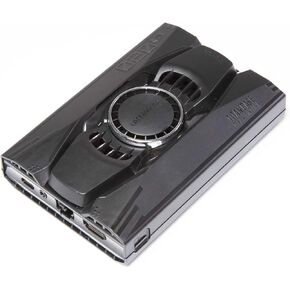
LattePanda 3 Delta 864-Pocket-Sized Windows/Linux Single Board Computer with Titan Case
KWD 101
-2%
LattePanda 3 Delta 864-Pocket-Sized Windows/Linux Single Board Computer with Titan Case
KWD 101
 -17%
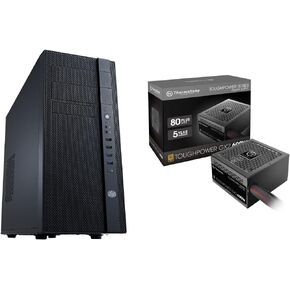
Cooler Master N400 NSE-400-KKN2 Mid-Tower Fully Meshed Front Panel Computer Case & Thermaltake Toughpower GX2 80+ Gold 600W SLI/Crossfire Ready Continuous Power ATX 12V V2.4/EPS V2.92
KWD 54.500
-17%
Cooler Master N400 NSE-400-KKN2 Mid-Tower Fully Meshed Front Panel Computer Case & Thermaltake Toughpower GX2 80+ Gold 600W SLI/Crossfire Ready Continuous Power ATX 12V V2.4/EPS V2.92
KWD 54.500




