- Shopping, made easy.
- /
- Get the app!
Highlights of Q670 Micro ATX Motherboard: 9.6" x 9.6" (244mm x 244mm) standard M-ATX board, compatible with LGA 1700 series CPU fan. 1* Intel i226-LM 2.5G RJ45 network port to support Intel vPro remote management function. 2* Intel i226-V 2.5G RJ45 network ports. 1* HDMI2.0 and 1* DP1.4 Ports (to support dual 4K display) and 1* VGA and 1* eDP Ports to support quad monitors. 1* Type-C (USB3.2 Gen2 x2) 20Gbps rate, 4* USB3.0, 2* USB2.0 ports. Built-in a Type-E socket and a set of USB3.0 pin sockets allow it to support a variety of chassis. Built-in a USB2.0 interface to support USB flash disk encryption and other applications and part of the system boot. NOTE: This Q670 12-Bay NAS M-ATX motherboard supports vPro function, but this vPro function requires a combination of motherboard chip, BIOS, NIC chip and CPU. For motherboard chip, it requires Q670 & W680; For BIOS, it requires special settings; For NIC chip, it requires i226-LM; For CPU, it should be i5 1x500 or above, and Integrated graphics is required. (It is not supported by F-series CPUs) The motherboard's VGA interface default on the virtual load, because the vPRO is required to display the output to use; if you use windows or winserver system, you need to turn off the VGA virtual load, or else the monitor connected by HDMI or DP defaults to the sub-screen, which will NOT be displayed. ----Solution: Jump the jump cap JP2 next to VGA to the other side. Memory Compatibility Recommendations: It is compatible with Crucial memory It is compatible with Samsung memory Please NOTE: If the motherboard is only inserted into 1 RAM, you need to insert the memory into the #4 slot, otherwise it may cause failure to boot; If it's only inserted into 2 RAMs, you need to insert the memory into the #2 and #4 slot, otherwise it may cause failure to boot; If it's inserted into 4 RAMs, the memory frequency can only be 4400MHz. These are the limitations of the Q670 platform with 4 memory slots. If you encounter the micro atx motherboard can not boot up, please follow the steps below to troubleshoot and solve the problem: First, ensure that the 24PIN + 8PIN power supply ports are connected Troubleshooting the memory slot inside whether there is dust Check whether the memory gold finger stains Finally, check the CPU pin whether there is a twisted pin phenomenon. How can we confirm if the memory is causing the failure to boot? Unplug the RAM and turn on the motherboard, will it make an alarm sound? If it does, it means there is no problem with this NAS board, plug the memory in again, the first time the motherboard needs to read the memory information, please wait a few minutes after booting. If it doesn't, please disconnect the BIOS battery from the motherboard and put it back on after 5 minutes. If you have more questions, please don't worry, we have professional technical team to help you solve the problem. I/O Panel 1* HDMI2.0, 1* DP1.4, 1* VGA, 1*DB9, 1* Type-C(USB3.2 Gen2 x2, 20Gpbs, only support data transfer), 4* USB3.0, 2* USB2.0, 3* 2.5G RJ45 port, 1* Audio Interface Video Outputs 1* HDMI2.0 (4096x2160@60Hz), 1* DP1.4 (4096x2160@60Hz), 1* VGA (1080P@60Hz), 1*eDP Network Card 1* Intel i226-LM 2.5G RJ45 port to support vPro function, 2* Intel i226-V 2.5G RJ45 port TDP Base Power consumption 125W, Peak 180W OS Compatible with Linux/Windows 11/Windows10, EFI mode only
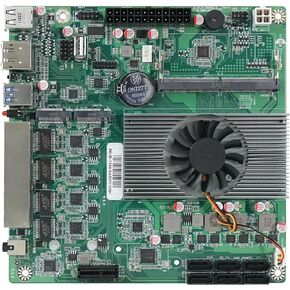 N100 Industrial Motherboard NAS 4 Cores 4 Threads Low Power Processor 4x2.5G i226 Network M.2 Slot 6xSATA DP HDMI 2.0 PCIE ×1 .1*M2_ SSD NVME/NGFF+ 1*M.2_ NVME
KWD 68
N100 Industrial Motherboard NAS 4 Cores 4 Threads Low Power Processor 4x2.5G i226 Network M.2 Slot 6xSATA DP HDMI 2.0 PCIE ×1 .1*M2_ SSD NVME/NGFF+ 1*M.2_ NVME
KWD 68
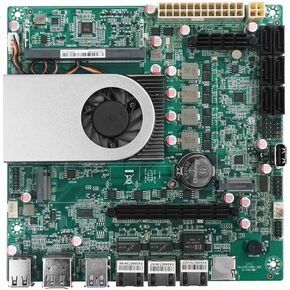 1 * 10G 2*i226-V 2.5G 3LAN Intel Low Power N150 NAS Motherboard 6-Bay 6*SATA3.0 2*M.2 NVMe 1*DDR5 Soft Router Firewall ITX Mainboard
KWD 71.500
1 * 10G 2*i226-V 2.5G 3LAN Intel Low Power N150 NAS Motherboard 6-Bay 6*SATA3.0 2*M.2 NVMe 1*DDR5 Soft Router Firewall ITX Mainboard
KWD 71.500
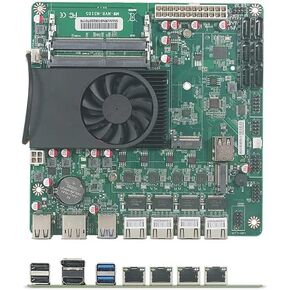 NAS Motherboard N5105,4 Port i226/ i225 2.5GbE LAN,2XM.2 NVMe, 6*SATA3.0,2*DDR4, Mini ITX Soft Router VPN Openwrt Barebone Micro Appliance DIY
KWD 64
NAS Motherboard N5105,4 Port i226/ i225 2.5GbE LAN,2XM.2 NVMe, 6*SATA3.0,2*DDR4, Mini ITX Soft Router VPN Openwrt Barebone Micro Appliance DIY
KWD 64
 N150 Industrial Motherboard NAS 4 Cores 4 Threads Low Power Processor 2x2.5G i226 Network M.2 Slot 6xSATA 2* M.2 NVMe 2280, 1* PCIe 3.0x4, 1* TF Slot, Dual 4K Display, 6* USB
KWD 74
N150 Industrial Motherboard NAS 4 Cores 4 Threads Low Power Processor 2x2.5G i226 Network M.2 Slot 6xSATA 2* M.2 NVMe 2280, 1* PCIe 3.0x4, 1* TF Slot, Dual 4K Display, 6* USB
KWD 74




