- Shopping, made easy.
- /
- Get the app!


1. Remove phone case and use crowbar to remove old lens protector
2. Cleanning the camera lens and wipe off oil, fingerpringt and dust
3. Peel off the white PET and paste on cell phone camera
4. Press the lens protector several second
5. Peel off the arclicy baseplate slowly
 TENOC Camera Lens Protector for iPhone 16 & iPhone 16 Plus, 9H Tempered Glass Camera Screen Cover, Black Metal Individual Ring
KWD 2
TENOC Camera Lens Protector for iPhone 16 & iPhone 16 Plus, 9H Tempered Glass Camera Screen Cover, Black Metal Individual Ring
KWD 2
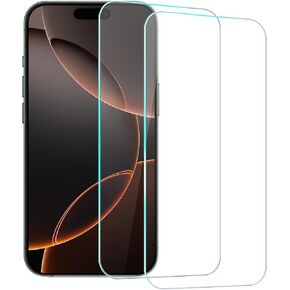 TENOC Screen Protector for iPhone 15 Pro Max, 2-Pack Clear 9H Tempered Glass Film Cover Sensor Protection Case Friendly for 6.7 inch
KWD 2
TENOC Screen Protector for iPhone 15 Pro Max, 2-Pack Clear 9H Tempered Glass Film Cover Sensor Protection Case Friendly for 6.7 inch
KWD 2
 TENOC Camera Lens Protector for iPhone 11 Pro & iPhone 11 Pro Max & iPhone 12 Pro, 9H Tempered Glass Camera Screen Cover, Silver Glitter Metal Individual Ring
KWD 2.500
TENOC Camera Lens Protector for iPhone 11 Pro & iPhone 11 Pro Max & iPhone 12 Pro, 9H Tempered Glass Camera Screen Cover, Silver Glitter Metal Individual Ring
KWD 2.500
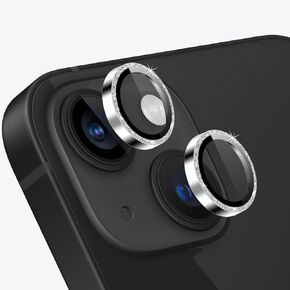 TENOC Camera Lens Protector for iPhone 14 & iPhone 14 Plus, 9H Tempered Glass Camera Screen Cover, Black Metal Individual Ring
KWD 2
TENOC Camera Lens Protector for iPhone 14 & iPhone 14 Plus, 9H Tempered Glass Camera Screen Cover, Black Metal Individual Ring
KWD 2




