KVM HDMI Wireless Transmitter and Receiver, with KVM Switch Function, Antenna Wireless Extender Kit, 328Ft/100M, 2.4/5.8GHz 1080P HD Lossless Transmission, Support for Local Loop Out
【Upgraded HDMI KVM wireless transmitter and receiver 】Our wireless HDMI KVM transmitter and receiver design features KVM function on the RX and HDMI loop-out on the TX. This wireless HDMI switch supports both HDMI and USB-C connections, allowing you to switch between 2 computers with a transmission distance of up to 328ft/100m.
【Stable USB Transmission Performance】This HDMI wireless transmitter and receiver is equipped with 2 USB interface for connecting to a set of USB mouse and keyboard. For optimal operation, please connect USB cable from the TX to computer.
【High Quality Chip for Stable Performance】Equipped with a high-quality chip, this device utilizes advanced 2.4G/5G dual-band technology for stable, low-latency connections. Wireless HDMI transmitter and receiver supports video and audio streaming in 4K decoding and 1080P full HD output, enabling content casting from laptops/ cameras/ TV boxes to HDTVs/ projectors/ monitors.
【Long-Distance Transmission of 328Ft/100 Meters】The wireless KVM transmitter and receiver can transmit up to 328FT/100M in open areas. (Note: walls or obstacles may reduce signal coverage by about 30 meters; antennas should be installed for better transmission. )
【Flipping & Zoom Functions】This HDMI KVM wireless transmitter and receiver supports flipping and zoom functions(See Product Description), supports screen rotation of 90° or 270° for varied visual experiences suitable for multiple scenarios.
【Important Tips】 If the connection fails due to improper operation during use. Please reinstall the it in the correct way (For detailed steps,see Product Description). If the TX and RX fails to pair after reinstallation, please repeat those steps again. (Note: This wireless HDMI KVM kit do need power supply for stable working. Each time the RX and TX are paired, the default input source is selected via the USB-C port. If there is still no signal, please check whether the TX has been switched to an interface with a signal source connected.)


 4K Video Wall Controller 3x3, HDMI TV Wall Processor,9 tv Screens into 1 Wall Display with 180 Degree Rotate,Multiple tv Screens one Picture, 13 Splicing Modes 1x2、1x3、1x4、2x1、2x2、2x3、2x4、3x1、3x2、3x3
KWD 36
4K Video Wall Controller 3x3, HDMI TV Wall Processor,9 tv Screens into 1 Wall Display with 180 Degree Rotate,Multiple tv Screens one Picture, 13 Splicing Modes 1x2、1x3、1x4、2x1、2x2、2x3、2x4、3x1、3x2、3x3
KWD 36
 8K HDMI and Displayport KVM Switch 2 Monitors 2 Computers USB 3.0 Dual Monitor HDMI+DP KVM Switch for 2 Computers Share 2 Monitors and 4 USB 3.0 for Keyboard Mouse with IR Controller
KWD 24
8K HDMI and Displayport KVM Switch 2 Monitors 2 Computers USB 3.0 Dual Monitor HDMI+DP KVM Switch for 2 Computers Share 2 Monitors and 4 USB 3.0 for Keyboard Mouse with IR Controller
KWD 24
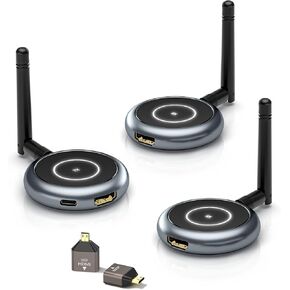 AIMIBO Wireless HDMI Transmitter and 2 Receivers, 5.8G, 60Hz, 165FT/50M, Support Multiple TVs, Touch Screen App Mirror, HDMI Wireless Extender for Laptop, Camera, TV Box to TV, Projector, Monitor
KWD 63.500
AIMIBO Wireless HDMI Transmitter and 2 Receivers, 5.8G, 60Hz, 165FT/50M, Support Multiple TVs, Touch Screen App Mirror, HDMI Wireless Extender for Laptop, Camera, TV Box to TV, Projector, Monitor
KWD 63.500
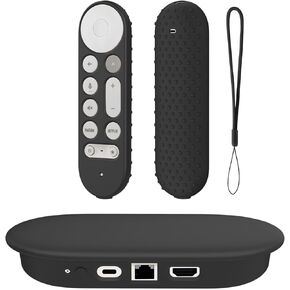 Silicone Cover Case for Google TV Streamer 4K 2024 ,Protective Sleeve Set for Google TV Streamer 4K Host Box +Voice Remote,Anti-Slip Scratch Shock Protection (Black)
KWD 5.500
Silicone Cover Case for Google TV Streamer 4K 2024 ,Protective Sleeve Set for Google TV Streamer 4K Host Box +Voice Remote,Anti-Slip Scratch Shock Protection (Black)
KWD 5.500




