ERGONOMIC TOUCHPAD FOR SHOULDER COMFORT: Contour Touch sits beneath your keyboard to eliminate reaching for a mouse. This centralized position helps keep your hands within shoulder width, reducing strain on your neck, shoulders, and forearms.
FAMILIAR, HIGH-PERFORMANCE INTERACTION: The high-resolution glass touchpad has a smooth surface for precise, effortless finger movements. The click-anywhere feature lets you interact naturally without being limited to specific zones.
ADVANCED PRODUCTIVITY: There is native support for the usual Windows multi finger gestures. Scroll, zoom, back and forward navigation to keep you productive while on your computer. And the four shortcut buttons (Copy/Paste, Back/Forward) help you stay efficient too. Contour Touch is designed to be a higher performance trackpad for Windows users, and it is not compatible with Mac.
CUSTOMIZABLE EXPERIENCE TO MEET YOUR NEEDS - Touchpad speed settings and commands can be changed in the Windows settings menu or on the Contour Driver, so you can customize your touchpad to your needs. The 4 buttons above the touchpad area are also customizable with Contour Driver.
HIGH LEVEL OF COMFORT: With a full-size wrist rest, you get truly comfortable wrist and palm support while using your keyboard. The smooth surface provides frictionless transition between typing and mousing or computer navigation.


 Shuttle Pro V.2
KWD 44.500
Shuttle Pro V.2
KWD 44.500
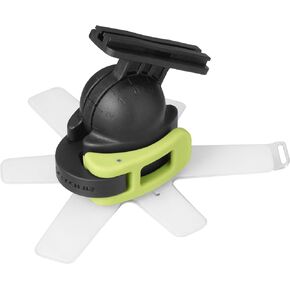 Contour 3555 Surfboard Mount
KWD 8
Contour 3555 Surfboard Mount
KWD 8
 Contour Design Roller Mouse Pro - Wireless Ergonomic Mouse for Laptop and Desktop Computer w/Programmable Buttons, Slim Design and Plug & Play Installation - Compatible w/Mac and PC (Vegan Leather)
KWD 111
Contour Design Roller Mouse Pro - Wireless Ergonomic Mouse for Laptop and Desktop Computer w/Programmable Buttons, Slim Design and Plug & Play Installation - Compatible w/Mac and PC (Vegan Leather)
KWD 111
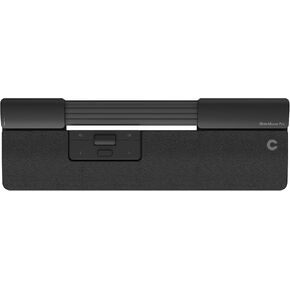 Contour Design SliderMouse Pro Wired Ergonomic Mouse, Centralized Layout to Reduce Wrist & Forearm Strain, Plug & Play for PC/Mac, Slim Version
KWD 68
Contour Design SliderMouse Pro Wired Ergonomic Mouse, Centralized Layout to Reduce Wrist & Forearm Strain, Plug & Play for PC/Mac, Slim Version
KWD 68




