Megadap ETZ21 PRO+,ETZ21 Pro Plus Auto Focus Adapter Compatible with Sony FE Sigma Tamron FE Series Lens to Nikon Z Mount Camera Zf Z9 Z8 Z7 Z6 Z6III Z7II Z6II Z5 Z50 Z30 ZFC
【Born for Professional】Megadap ETZ21 Pro+ Auto Focus Adapter Compatible with Sony E to Nikon Z Autofocus Adapter Pro+ (etz21 pro plus)
【Wide Compatibility】The plane thickness of Megadap ETZ21 Pro Plus adapter ring is only 2mm, and the adapter ring is compatible with a wide range of FE mount lenses, including for Sony original FE mount lenses and FE mount lenses from Tamron, Sigma Zeiss, Voigtlander, samyang and other third party lenses.Suitable for Nikon Z Camera Zf, Z9, Z8, Z7, Z6, Z6III , Z7II, Z6II, Z5, Z50, Z30, ZFC cameras.
【Play Like Pro】Using the original protocol equivalent conversion mode, better compatibility and stronger performance, you can use most of the options in the Menu such as vibration reduction function, AF-S/AF-C/MF focusing mode, automatic synchronization aperture, micro-point PN focusing , focal length change shooting, time-lapse shooting and video AFF auto focus, etc.
【Anti-shake 】Lens stabilization can be normally enabled for lenses with and without an image stabilization switch
【Anti-vignetting Opening Design】The opening of the adapter ring is designed according to the size of the camera's CMOS, so that the incoming light is not blocked, and the firmness and durability of the chip contacts are also taken into account.The inner wall is professionally matted, anti-stray, light is clearer, high-toughness shrapnel, bright surface electroplating, toroidal CD pattern technology, anti-scratch scratches.
【Firmware Upgrade】Download the latest firmware on the official Megadap website and store it in the camera memory card. Install the ETZ21 PRO+ adapter ring and lens on the camera, and insert the memory card with firmware into the camera. Open the camera, select [Settings Menu]>[Firmware Version], and then follow the instructions on the screen to perform firmware updates. When the message prompts that the update is complete, please turn off the camera and remove the memory card.


 YT-1000 Auto Motorized Rotating Panoramic Head Remote Control Pan Tilt Video Tripod Head Stabilizer for Smartphone Cameras
KWD 48.500
YT-1000 Auto Motorized Rotating Panoramic Head Remote Control Pan Tilt Video Tripod Head Stabilizer for Smartphone Cameras
KWD 48.500
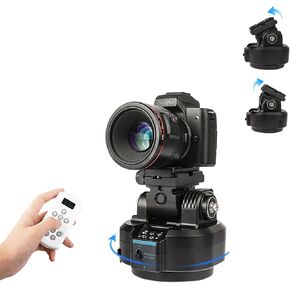 YT-1500 Auto Motorized Rotating Panoramic Head with Remote Control Support 2kg(70.5 Ounce) Camera Phone Pan Tilt Video Tripod Head Stabilizer
KWD 45
YT-1500 Auto Motorized Rotating Panoramic Head with Remote Control Support 2kg(70.5 Ounce) Camera Phone Pan Tilt Video Tripod Head Stabilizer
KWD 45
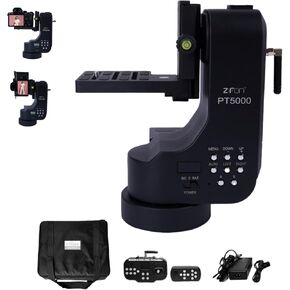 PT5000 360° Auto Motorized Rotating Panoramic Head with Remote Control, Professional Universal Shaft, Support 5KG(11LB) Camera Pan Tilt Video Tripod Head Stabilize
KWD 131
PT5000 360° Auto Motorized Rotating Panoramic Head with Remote Control, Professional Universal Shaft, Support 5KG(11LB) Camera Pan Tilt Video Tripod Head Stabilize
KWD 131
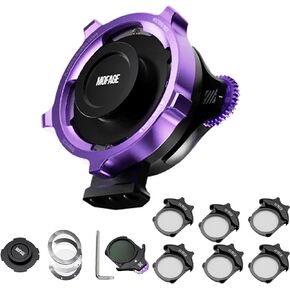 MOFAGE PL-L Lens Adapter Ring Kit for PL to L Mount Camera Lens Adapter, Fit All PL Lens Filter Size, Quick Change Filter
KWD 220
MOFAGE PL-L Lens Adapter Ring Kit for PL to L Mount Camera Lens Adapter, Fit All PL Lens Filter Size, Quick Change Filter
KWD 220

 Kuwait


