- Shopping, made easy.
- /
- Get the app!


System Requirements
1,This gaming keyboard and mouse products can be run in Windows 2000,Windows XP,Vista,Windows 7,Windows 8,Windows 10.
2.Hardware requirement:USB ports available for IBM or compatible PC connecting devices.
☂How to Adjust 16 kinds of RGB backlight Effect
➀FN+↑/↓: Increase/Decrease the backlight brightness
➁FN+←/→: Speed up/Slow down the backlight speed(4-level)
➂FN+1/2/3/4/5: Switch 16 kinds of RGB backlight
-FN+1=gradient streamer mode
-FN+2=pulsating streamer mode
-FN+3=7+mixed color breathing mode
-FN+4=7 color+blending gradient mode
-FN+5=monochrome light+blending constant brightness 8 switching
☂ How to Use the the Multimedia Knob
➀Pressing the VR knob button can switch multiple backlight modes of the keyboard.
When you press the FN+VR knob button,the VR knob function enters the multimedia playback mode.
Turning the VR knob left and right can adjust the volume,then pressing the VR knob button can make it mute,and pressing it again will resume playback.
➁When this keyboard is in the breathing backlight mode-turning the VR knob left and right can control the breathing speed.
Turning it left will slow down the light breathing speed,and turning it right will speed up the light breathing speed.
☂12-Multimedia Function Keys
FN+F1=Media FN+F2=Voice"+" FN+F3=Voice"-"
FN+F4=Mute FN+F5=Pretract FN+F6=Nexttract
FN+F7=Play/Pause FN+F8=Stop FN+F9=Web Home
FN+F10=Email FN+F11=My Computer FN+F12=Favorities
✌Warming Tips:
➀Pls full charge the product before first use to Activate the Built-in Battery
➁Make sure to turn on the ON/OFF switch on keyboard mouse before use
➂The keyboard and mouse can be charged by using DC 5V adapter, but cannot support quick charger adapter.
 Gaming Keyboard and Mouse,Soke-Six 2.4G Wireless Retro Punk Typewriter-Style Backlit Keyboard Mice Combo,4800mAh Battery,Mechanical Feel,Anti-ghosting,Crystal Panel Round Keycaps (Black+White Light)
KWD 20.500
Gaming Keyboard and Mouse,Soke-Six 2.4G Wireless Retro Punk Typewriter-Style Backlit Keyboard Mice Combo,4800mAh Battery,Mechanical Feel,Anti-ghosting,Crystal Panel Round Keycaps (Black+White Light)
KWD 20.500
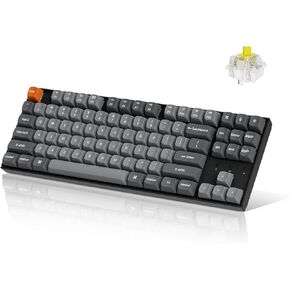 Keychron K8 Max TKL Mechanical Keyboard Wireless, 87 Keys QMK 2.4 GHz/Bluetooth 5.1/Wired Connection, White Backlit with Programmable Keychron Super Brown Switch for macOS Windows Linux
KWD 39
Keychron K8 Max TKL Mechanical Keyboard Wireless, 87 Keys QMK 2.4 GHz/Bluetooth 5.1/Wired Connection, White Backlit with Programmable Keychron Super Brown Switch for macOS Windows Linux
KWD 39
 Spy Fox 3: Operation Ozone (Jewel Case) - PC
KWD 5
Spy Fox 3: Operation Ozone (Jewel Case) - PC
KWD 5
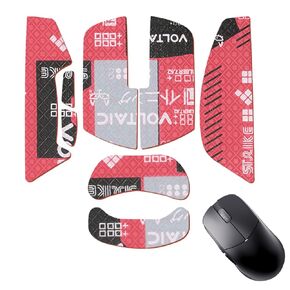 Mouse Grip Tape Full Coverage for Lamzu Atlantis Mini 4K Wireless Gaming Mouse, Mouse Anti Slip Grip Tape,Self-Adhesive PreCut Sweat-Resistant Professional Mice Upgrade Kit(Red)
KWD 4.500
Mouse Grip Tape Full Coverage for Lamzu Atlantis Mini 4K Wireless Gaming Mouse, Mouse Anti Slip Grip Tape,Self-Adhesive PreCut Sweat-Resistant Professional Mice Upgrade Kit(Red)
KWD 4.500




