- Shopping, made easy.
- /
- Get the app!
The ENVPRFR RCM Jig allows you to enter into RCM(Recovery Mode) on your Switch.
It can be used to modify the archive, play GBA / FBA and other simulators, the homemade system can already load Switch games.
Specifications
Material: ABS plastic
Size: 3.5 x 3.5 x 1.8 cm / 1.38 x 1.38 x 0.71 in
Weight: 0.01LB
1 long press NS power button, pop-up menu select "power option",click "turn off". Turn NS off completely.
2 Copy needed files to the root directory of your TF card
3 Connect your RCM Jig to the Right-Hand Joycon rail of switch.
4 Then hold VOL+ press the Power Button.
5 NS is still in black screen, but already enter into RCM.
6 Connet your NS and computers/Android phones/dongle and inject the boot program via the microUSB Cable.
7 Guide you to the TF card system, you can run a variety of homemade software, systems, games.
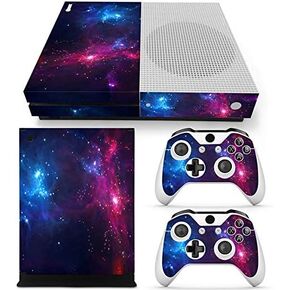 Protective Vinyl Skin Decal Cover for Xbox One S Console wrap Sticker Skins with Two Free Wireless Controller - Blue Flame Skull
KWD 7
Protective Vinyl Skin Decal Cover for Xbox One S Console wrap Sticker Skins with Two Free Wireless Controller - Blue Flame Skull
KWD 7
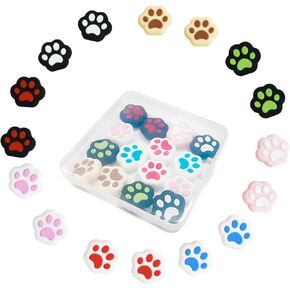 16 Pieces Replacement Soft Silicone Cat Paw Design Thumb Grip Caps Thumb Grips Analog Stick Cover Compatible with Nintendo Switch, Switch Lite/OLED and Joy Con Controller
KWD 4.500
16 Pieces Replacement Soft Silicone Cat Paw Design Thumb Grip Caps Thumb Grips Analog Stick Cover Compatible with Nintendo Switch, Switch Lite/OLED and Joy Con Controller
KWD 4.500
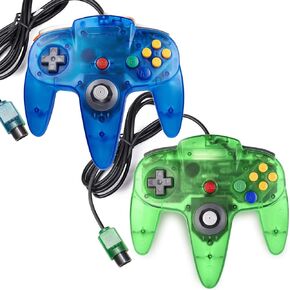 miadore 2 Packs Classic 64 Wired Controller Joystick for N64 Video Game System N64 Console (Clear Red and Blue)
KWD 12
miadore 2 Packs Classic 64 Wired Controller Joystick for N64 Video Game System N64 Console (Clear Red and Blue)
KWD 12
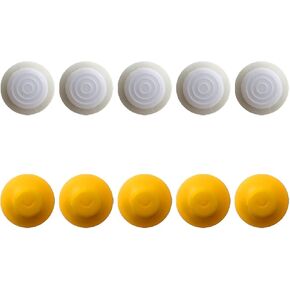 10pcs Replacement Analog Joystick Thumb Stick Silicone Cap for Nintendo for Gamecube NGC GC Controller by Acupress
KWD 5
10pcs Replacement Analog Joystick Thumb Stick Silicone Cap for Nintendo for Gamecube NGC GC Controller by Acupress
KWD 5




