- Shopping, made easy.
- /
- Get the app!
KIWI design Breathable Facial Interface Compatible with Quest 2——KIWI's Top-version Face Pad
How to Use
①Pull out the original facial interface and glasses spacer from the headset
②Align KIWI design facial interface and snap it into the headset
PS: When the headset is not in use, you can cover the lens with the included lens cover to protect the lense from dust and scratches.
Four Upgrades to Enhance Your Gaming Experience
Ventilation Design:
For better air circulation, we improved the design of the bracket and added a lot of vents. They can help to minimize lens fogging
Block the Light Better:
Compared to KIWI's previous facial interface, this one has increased the area of the nose pieces, which can better block the light into the VR headset
Simplified Installation Steps:
We have made the glasses spacer and bracket an integrated design. In addition to being friendly to users who wear glasses, the installation has been made easier with only two steps
Upgraded Technology, Smoother Face Pad:
Reduced wrinkles on the surface of the face pad, smoother face pad can help reduce the red marks left on your face after gaming
Customer Service
18-month warranty and Lifetime user support
 -7%
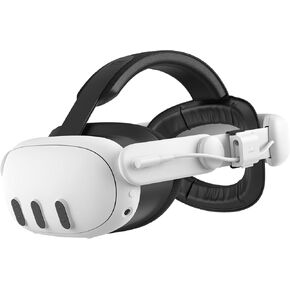
KIWI design Comfort Battery Head Strap 6400mAh Compatible with Meta Quest 3 Accessories Battery Pack Pressure Free Counterweight Battery Design NOT compatible with our RGB Vertical Charging Stand
KWD 21
-7%
KIWI design Comfort Battery Head Strap 6400mAh Compatible with Meta Quest 3 Accessories Battery Pack Pressure Free Counterweight Battery Design NOT compatible with our RGB Vertical Charging Stand
KWD 21
 -19%
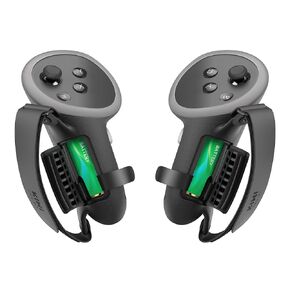
KIWI design Comfort Controller Grips Compatible with Meta Quest 3 Accessories, Hand Straps with Battery Opening
KWD 8.500
-19%
KIWI design Comfort Controller Grips Compatible with Meta Quest 3 Accessories, Hand Straps with Battery Opening
KWD 8.500
 -21%
KIWI design K4 Boost Comfort Battery Head Strap for Meta Quest 3/Quest 3S
KWD 23
-21%
KIWI design K4 Boost Comfort Battery Head Strap for Meta Quest 3/Quest 3S
KWD 23
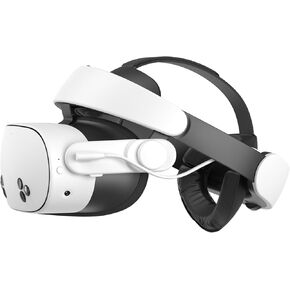 KIWI design H4 Boost Battery Head Strap Compatible with Meta Quest 3 or Meta Quest 3S
KWD 33
KIWI design H4 Boost Battery Head Strap Compatible with Meta Quest 3 or Meta Quest 3S
KWD 33




