- Shopping, made easy.
- /
- Get the app!
Fullicon Electronic Pill Reminder, Loud Alarm Medicine Reminder with 24 Alarms A Day for Elderly
Instructions for Operation
Setting Current Time
1.Press the"H" button to set the hour.
2.Press the"M" button to set the minute.
3.Number will stop flashing in 5 seconds after finishing setting the time.
4.Press and hold "STOP" button and then press "H" to switch between 24 hour mode (military time)and 12 hour mode(AM/PM time).
Set Daily Alarms
1.To set alarms, push down on the desired alarm hour pin.
2. The pill timer can set up to 24 alarms at a time, and up to 6 alarm symbols will be shown on the display screen. However, the 24 alarms will still ring at the corresponding time.
A small“bell”will appear on the screen when the alarm has been set successfully.
Tips:
The alarm setting is always in 24-hour mode (military time), for example, press the "9" for 9:00am and "21" for 9:00pm.
Stop the Alarm
1. Simply press "STOP" to stop the alarm when it sounds at the corresponding times.
2. lf the alarm is not stopped after 15 seconds, it will repeat every 5 minutes for total 2 times.
There are 24 pins for one day. Push down to set alarm, push up to cancel the alarm. For example, push down the button “9” and “14”, indicating that the pill reminder will alarm at 9:00 AM and 14:00 PM.
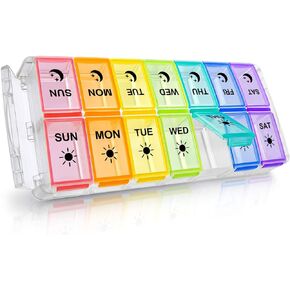 Weekly Pill Organizer 7 Day 2 Times a Day Extra Large, Quick Fill 2020 Fullicon AM PM XL Daily Pill Cases Pill Box with Detachable Base - White/Blue (Patent Registered)
KWD 5.500
Weekly Pill Organizer 7 Day 2 Times a Day Extra Large, Quick Fill 2020 Fullicon AM PM XL Daily Pill Cases Pill Box with Detachable Base - White/Blue (Patent Registered)
KWD 5.500
 Fullicon Pill Organizer 2 Times a Day, Weekly Pill Box AM PM, Removable Medicine Organizer, Pill Cases Twice a Day - (Black)
KWD 4
Fullicon Pill Organizer 2 Times a Day, Weekly Pill Box AM PM, Removable Medicine Organizer, Pill Cases Twice a Day - (Black)
KWD 4
 Fullicon Pill Organizer 2 Times a Day, Weekly Pill Box AM PM, Removable Medicine Organizer, Pill Cases Twice a Day - (Black)
KWD 4
Fullicon Pill Organizer 2 Times a Day, Weekly Pill Box AM PM, Removable Medicine Organizer, Pill Cases Twice a Day - (Black)
KWD 4
 Fullicon Weekly Pill Organizer 4 Times a Day, Pill Box 7 Day for Travel, Moisture-Proof Daily Pill Box Organizer, Large Pill Case for Medicine, Vitamin, Fish Oil, and Supplement (Clear and Green)
KWD 5
Fullicon Weekly Pill Organizer 4 Times a Day, Pill Box 7 Day for Travel, Moisture-Proof Daily Pill Box Organizer, Large Pill Case for Medicine, Vitamin, Fish Oil, and Supplement (Clear and Green)
KWD 5




