Drone with 1080P Camera - Foldable Remote Control Quadcopter with Voice Gesture Control, 3D Flip, One Key Start, Emergency Stop, 2 Batteries, Easier to use, Toy for Kids Adult Beginners
The PK01 drone's remote comes with a super handy built-in screen—no phone needed—so you can watch live HD footage and check flight stats right in your hands. (An SD card is required to save images and videos, not included) Powered by tough brushless motors, this little flyer is strong, smooth, and built to last. With one-key takeoff/landing, headless mode, and even 360° flips, you'll look like a pro in no time. Ready for takeoff? 😎
【Drone with Camera】 Equipped with a 1080P HD 80°adjustable lens, the drone not only assists you in catching every wonderful moment from a birds-eye perspective, but also is perfect for selfie. It can even be used to check the roof of a house or other hard-to-reach areas. You can enjoy the real-time HD pictures and videos via the remote screen & APP. Automatically take photos/videos with gestures. First flight tip- choose a windless indoor space, keep the altitude below 6 meters and the distance below 30 meters to help better practice and control the drone.
【More Fun to Fly】 This foldable drone has 3 control modes: remote control, APP, and voice control. You can enjoy exciting features such as one-click 360° flips, 3D flip, waypoint flyflight, gravity control, circle fly, rotation fly, 3 speed gear, gravity sensing and Emergency Stop. (Some functions should be controlled by the app) You can also effortlessly command the remote control drone with simple voice instructions like "Take off"and more.
【Long Flying Time and Safer】 The upgraded FPV drone is equipped with two enhanced batteries, extending the flight time to 25 minutes, providing no-worry flying experience. The controller has built-in battery and comes with 2pcs USB charging cable, enables you to charge it effortlessly. Features with emergency stop, 4 propeller guards, child lock feature and low power alarm to ensure a safe and reliable flight. PK01 is lightweight, portable and No FAA Registration needed, makes it a ideal drone for indoor and outdoor activities.
【How to Connect Your Phone】1.Power off the remote controller . 2.Turn on the drone. Note: Make sure the tail of the drone is facing towards you. 3.Download and log in to the "PK01 DRONE" app. 4.Connect your phone to the Wi-Fi network named "PK01DRONE_XXXXXX" via the app. 5.Move the left and right joysticks of the remote control to the lower left or lower right 45 degrees at the same time. The drone light flashes and then turns on, completing horizontal calibration.. 6.Enter the app control interface, tap the "Control Switch" icon, and then select "Take Off" for a successful launch.


 -10%
DJI Neo Drone with Camera 4K, Intelligent Flight Battery & Carrying Bag Bundle, Foldable FPV GPS Drone for Adults, Beginners, Professionals
KWD 99.500
-10%
DJI Neo Drone with Camera 4K, Intelligent Flight Battery & Carrying Bag Bundle, Foldable FPV GPS Drone for Adults, Beginners, Professionals
KWD 99.500
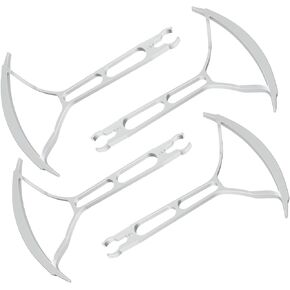 Propeller Guard Spare Parts Propeller Blade Protector for S20 Foldable Drone - 4 PCS Combo Accessory Set
KWD 9
Propeller Guard Spare Parts Propeller Blade Protector for S20 Foldable Drone - 4 PCS Combo Accessory Set
KWD 9
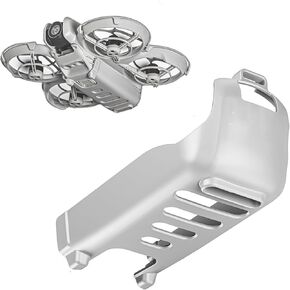 Drone Down Shell Cover for DJI Neo, Height Enhancement and Battery Protection Shell Drop-Proof Cover (Orange)
KWD 7
Drone Down Shell Cover for DJI Neo, Height Enhancement and Battery Protection Shell Drop-Proof Cover (Orange)
KWD 7
 -8%
STARDRONE S8 RC Flight Simulator Remote Controller- 8 Channels FPV Drone Games Remote Controller Support Popular System&Platform- Ideal for Beginner Pilots Professional Training Experience(Mode 2) (Black)
KWD 17
-8%
STARDRONE S8 RC Flight Simulator Remote Controller- 8 Channels FPV Drone Games Remote Controller Support Popular System&Platform- Ideal for Beginner Pilots Professional Training Experience(Mode 2) (Black)
KWD 17




