- Shopping, made easy.
- /
- Get the app!
The LCD
800x480 high hardware resolution
Resistive touch control
Compatible with RPi A+/B+/2B/3B/3A+/3B+
Drivers provided (works with your own Raspbian/Ubuntu/Kali/Retropie)
HDMI interface for displaying, no I/Os required (however, the touch panel still needs I/Os)
Backlight can be turned off to lower power consumption
High quality immersion gold surface plating
The Case
Material : high quality bicolor Acrylic, black and white
Comes with bottom holder, optional tilt angle, 45° or 60°
Features mounting holes for Raspberry Pi A+/B+/2B/3B/3A+/3B+
PACKAGE CONTENT
1. 5inch HDMI LCD x1
2. HDMI connector x1
3. HDMI to micro HDMI connector x1
4. Touch pen x1
5. RPi screws pack (4pcs) x1
6. Bicolor Case for 5inch LCD x1
7. Screws Pack x1
8. Quick start sheet x1
100% original from Waveshare, support technical service, please contact us!
FAQ
Why the LCD doesn't work with my Raspbian?
To use the LCD with the RPi official image, driver should be installed first. Please refer to the user manual.
However, for the first testing, you may want to use our provided image directly.
Why the LCD still doesn't work with the Waveshare provided image?
Make sure the hardware connection is correct and connects fine.
Make sure the image in TF card is burnt correctly.
The PWR will keep on and the ACT will keep blinking when the RPi starts up successfully, in case both of the two LEDs keep on, it is possible that the image was burnt incorrectly OR the TF card was in bad contact.
Which power supply should I use?
It is strongly recommended to use a stand-alone 5V/2A power adapter, because the PC's USB port might have not enough power to support the Pi and LCD.
 Waveshare Industrial Modbus RTU 8-ch Relay Module with RS485 Interface Multi Isolation Protection Circuits Comes with an ABS Enclosure
KWD 15
Waveshare Industrial Modbus RTU 8-ch Relay Module with RS485 Interface Multi Isolation Protection Circuits Comes with an ABS Enclosure
KWD 15
 High-Precision AD HAT for Raspberry Pi 4B/3B+/3B/2B/Zero/W/Zero WH Jetson Nano Expansion Board with ADS1263 10-Channel 32-bit High Precision ADC 24-bit Auxiliary ADC
KWD 20
High-Precision AD HAT for Raspberry Pi 4B/3B+/3B/2B/Zero/W/Zero WH Jetson Nano Expansion Board with ADS1263 10-Channel 32-bit High Precision ADC 24-bit Auxiliary ADC
KWD 20
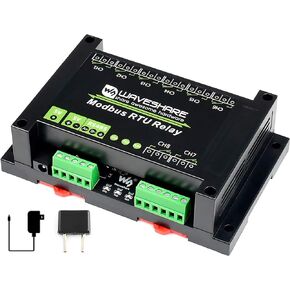 Industrial Modbus RTU 8-Channels Relay Module with RS485 Bus Modbus RTU Protocol Onboard Multi Isolation Protection Circuits(Power Isolation, ADI Magnetical Isolation,etc.) 5V Voltage
KWD 14.500
Industrial Modbus RTU 8-Channels Relay Module with RS485 Bus Modbus RTU Protocol Onboard Multi Isolation Protection Circuits(Power Isolation, ADI Magnetical Isolation,etc.) 5V Voltage
KWD 14.500
 Waveshare Rail-Mount Serial Server, RS232/485/422 to RJ45 Ethernet Module, TCP/IP to Serial, with POE Function
KWD 15
Waveshare Rail-Mount Serial Server, RS232/485/422 to RJ45 Ethernet Module, TCP/IP to Serial, with POE Function
KWD 15



